Good products keep intent and action in the same place. The Omniston widget embeds a dependable swap flow right inside your page, backed by the same routing layer that drives app.ston.fi. This article shows how it fits your stack, how to brand it safely, and the steps to go live.
What you get in five minutes
- A self-contained swap component that renders UI and handles the full flow.
- TON Connect integration in two modes: standalone or reuse your existing instance.
- Guardrails for quotes, slippage, retries, and user-visible statuses.
- Theming via CSS variables on a single container.
What is the Omniston widget?
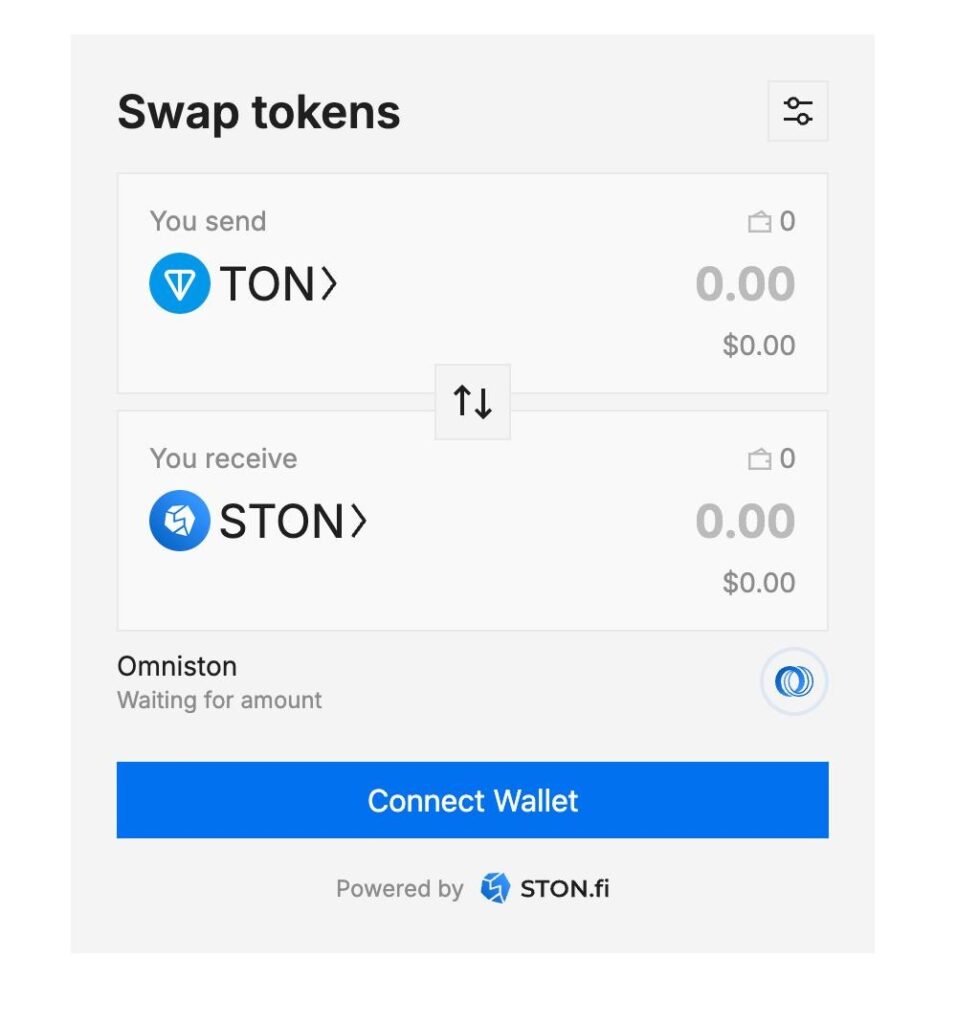
It is a compact swap box you mount on any page. Users pick tokens, review a route and estimate, then confirm. Under the hood, it uses Omniston’s aggregated routing and your TON Connect session to fetch quotes and submit transactions. It’s the quickest way to add a reliable, human-friendly swap surface.

Omniston widget on a webpage
Want to see the widget in action quickly? Try it with Lovable!
Benefits that matter to builders
You don’t need another sprint to ship swaps. The Omniston widget turns a small space in your app into a full swap journey.
- Brand fit without UX breakage. Style via CSS variables on the widget container. You can align colors, borders, text, icons, inputs, dialogs, alerts, and the primary button to your design system. Layout and motion are opinionated to protect core flows, so you won’t accidentally break states or interactions while theming.
- One engine, multiple surfaces. The widget is the human-friendly face of Omniston. Headless integrations — SDKs, APIs, Python scripts — use the same routing layer for bots, backends, and automation. Choose the surface you need; the liquidity view and execution logic stay consistent.
- Faster delivery, lower maintenance. You skip wallet orchestration, quote handling, slippage guards, retries, and post-transaction states. As routing improves or venues change, your embedded widget benefits automatically without another UI rewrite.
- Built for composability. The widget speaks the same language as your other Omniston integrations, so multi-hop routes and future additions remain predictable. That reduces edge cases when you extend the page or chain actions.
Minimal setup checklist
- Decide how you load it: via the @ston-fi/omniston-widget-loader package or the CDN script.
- Host a valid TON Connect manifest on your domain with a stable icon and URL.
- Choose standalone or integrated mode.
- Create a controller, mount the widget to a DOM node, and verify it renders.
- Configure defaults: initial sell and buy assets, whether the catalog is visible, and an optional referral address and fee basis points.
- Run a small swap to confirm end-to-end behavior.
How to integrate in 3 steps
- Host your TON Connect manifest on your domain.

- Choose CDN (no build) or npm (frameworks).
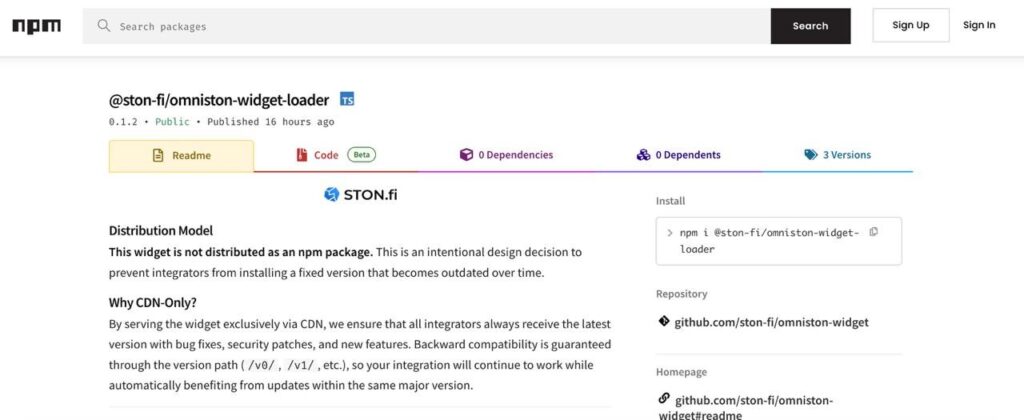
- Paste one snippet to mount the widget; see widget.md for full examples.
See Quickstart guide for more information.
Where the widget fits, and where it doesn’t
Where it fits: Use the widget when you need a reliable, user-facing swap inside an existing product surface. It’s the fastest way to add Omniston routing with predictable UX.
Where is doesn’t: Use SDKs and APIs when you’re building specialized logic — batch operations, leverage, programmatic rebalancing, bots, or backend services. Headless integrations hit the same routing layer but give you full control over sequencing and state.
Common integration patterns
- Wallets: mount as a tab, reuse your TON Connect instance, and set a curated asset catalog.
- Dashboards: position next to holdings or positions so rebalances are one click away.
- Games and NFT: prefill the destination token based on the current action.
- Communities: place a small widget on your info page to ease entry without context switching.
- Bridges and on-ramps: offer the “one more step” to the target token after arrival.
Testing and rollout
Start with a canary page or a small user segment. Track completion, error states, and time to confirm. If you use a referral fee, verify disclosure and post-transaction summaries. Once stable, roll out to the surfaces where swaps reduce friction the most.
When to iterate
If users abandon after connecting, the page likely lacks context. Add a short sentence that explains why the swap exists on that screen. If most errors are slippage-related, revisit default settings and initial pairs. If brand alignment feels off, tune the CSS variables rather than layout.
Useful links for implementation
- Omniston widget overview: mounting the widget with plain JavaScript — no framework required. It shows the controller pattern, how to select a DOM node, and the minimal code to initialize and render from any framework (React, Vue, Svelte, or plain HTML).
- Omniston widget full guide & reference: how the @ston-fi/omniston-widget-loader package and CDN script work together, what you need before starting (TON Connect manifest, environment notes), and the main configuration surface (initial assets, catalog visibility, referral settings, locale).
- Swap Quickstart (JS/TS): a minimal path to call Omniston from JavaScript/TypeScript without the widget.
- Python Quickstart (CLI/bots/services): a hands-on guide to drive Omniston from Python — ideal for bots, cron jobs, internal tools, and command-line utilities.
- Referral fees guide: accepted ranges, disclosure best practices, testing and analytics notes.
- Developer support: community channel for implementation questions and edge cases.
Final notes
The widget gives you a production-ready swap surface while your team keeps focus on product work. For automated or bespoke flows, keep using the SDKs and backend APIs. Either way, you’re building on the same routing foundation, which means less maintenance for you and a more consistent experience for users across the TON ecosystem.
Happy embedding, and see you on the TON DeFi side!